Work & Safety Instructions
with Yester
You you still use a yellow, blue, or red folder in your company to store all work and safety instructions – and another folder for employee confirmations that they have read them?
Yester makes managing instructions incredibly easy. Very easy.
Imagine a solution where:
- One single location: No need to search for instructions in different places — everything is stored in one always-accessible environment
- Always the latest version: No more guessing whether the instruction is up to date. The system ensures that employees always see the correct version
- Effortless change management: Frequent updates no longer cause headaches. You can resend the updated instruction to employees for reading with just a few clicks
- Clear status tracking: Instantly see which instructions are read, unread, or approaching their reading deadline
- Detailed proof of compliance: No more uncertainty about whether an employee has read the instruction. Yester records exactly when the instruction was read and which version it was
- Comprehensive overview: Easily monitor instruction-reading statistics by employees, departments, or instruction categories
Organized instructions
are easy to find
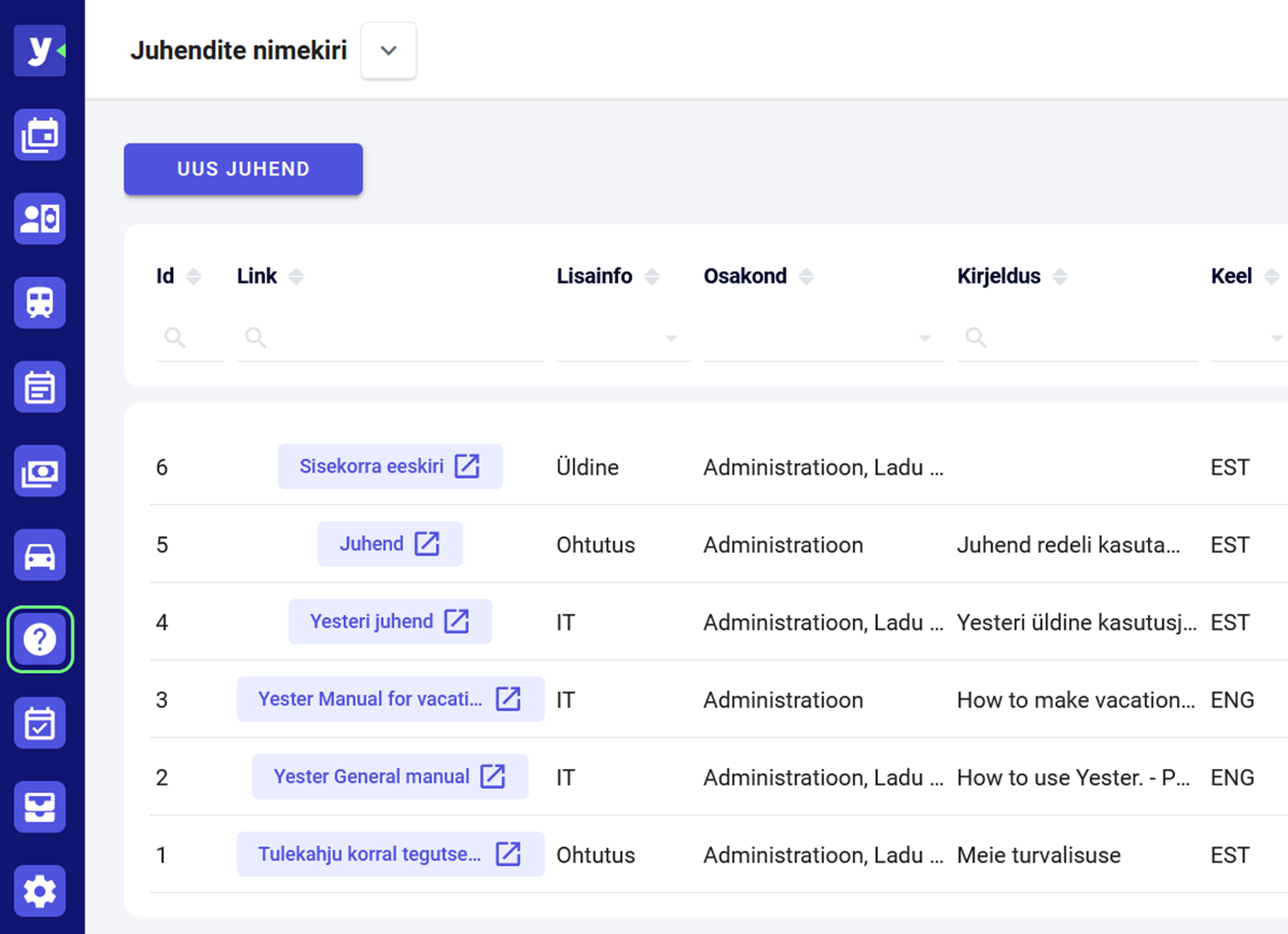
Navigating even a large volume of guidance documents in Yester is incredibly simple.
You can conveniently add the following details to every document:
- Category – for example, general guidelines, work safety, IT instructions, etc.
- Links or files related to the document – as many as you need.
- Targeted department information – specifying who the document is intended for.
- Validity period and version info – ensuring it is always clear which version is the latest one.
- Translations into different languages – the same document available in multiple languages.
- General comments and clarifications – all necessary additional information in one place.
Assign documents
to employees for reading
To ensure the right documents reach the right people, Yester allows you to create flexible groups where you combine documents with specific employees or entire departments.
For example, you can put together a group of employees and documents necessary for people involved in freight transport. Similarly, you can create a group containing all the company's general guidelines and link it automatically to the relevant departments.
This means that:
-
You can send all necessary documents to a new employee simultaneously.
-
You can distribute a new document to an entire department with just a few clicks.
-
Modified documents automatically reach all employees who need to re-familiarize themselves with the updated content.
In this way, every document always reaches the right people – precisely at the right time.
Data security is a
top priority for us
To be 100% certain that an employee has genuinely familiarized themselves with the document, every employee has their own personal, protected user account in Yester. All activities related to the documents – readings, confirmations, and other actions – are automatically saved and can be used as evidence when required.
We log every step the employee takes within the system. Thanks to the unique, secure account, the employee's confirmation of reading a document is essentially equivalent to a signature.
Simple and Quick
Implementation
Implementing Yester is surprisingly easy. We help you think through your workflows, set up the necessary configurations, and link the system to your users. Everything is ready in just a few steps: employees receive the documents, confirmations move to the right people, and overviews are generated automatically.
Want to get started? Our team will guide you through every step to ensure the transition is smooth and worry-free.